

Authentication
Principles
Section titled “Principles”Altoviz API access are secured by :
- a TLS connection using a Sectigo Limited certificate with an RSA key length of 2048-bit
- an API key authentication mecanism
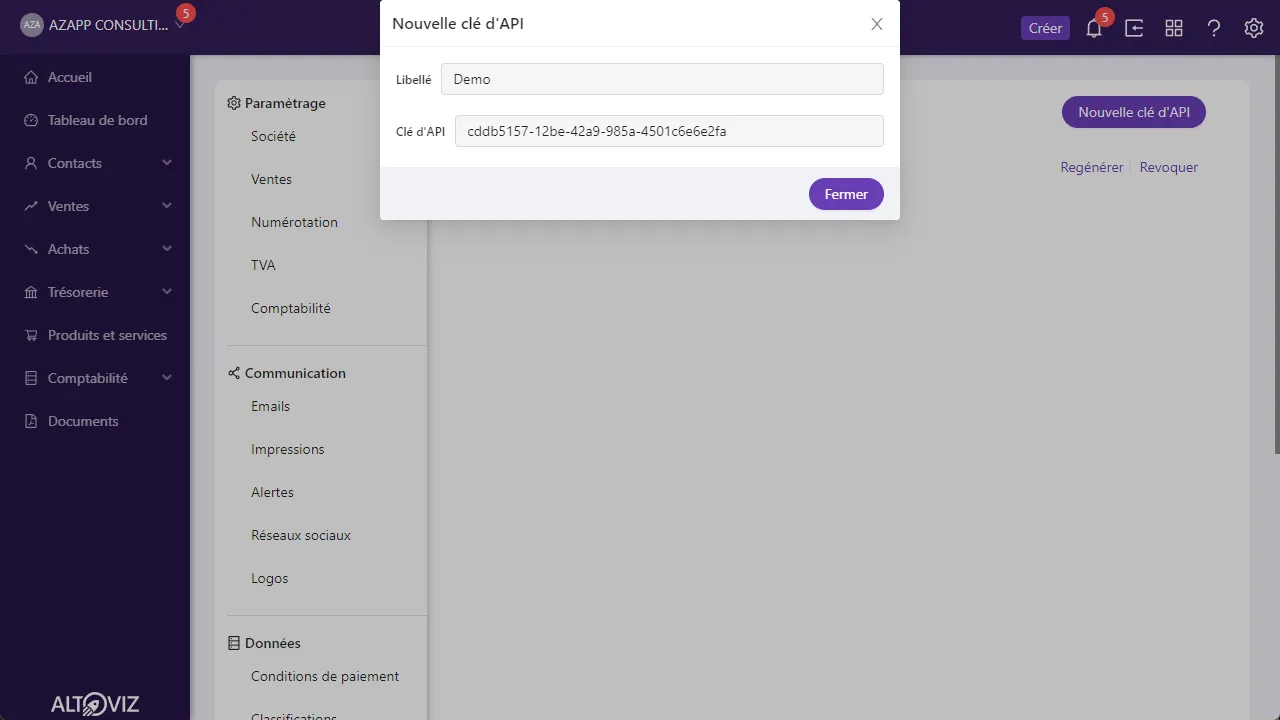
How to get an API key ?
Section titled “How to get an API key ?”API keys are centralized in the Altoviz application itself. Go to the Settings, API access. Here is a direct shortcut https://app.altoviz.com/go/settings/apis.
You can create a new API key or re-generate an existing one.
How does it work ?
Section titled “How does it work ?”Header
Section titled “Header”Every HTTP request must have a header named x-api-key with a valid API key.
curl -H "x-api-key:cddb5157-12be-42a9-985a-4501c6e6e2fa" https://api.altoviz.com/helloBasic authentication
Section titled “Basic authentication”Basic authentication is also supported using apikey as user and the API key as password.
curl -u "apikey:cddb5157-12be-42a9-985a-4501c6e6e2fa" https://api.altoviz.com/helloParameter
Section titled “Parameter”In case you really can’t use a header, you can send the API key using a parameter named apikey. We discourage this method by default as the API key appear in logs, web analytics service or caches.
curl https://api.altoviz.com/hello?apikey=cddb5157-12be-42a9-985a-4501c6e6e2faGreat, you just made your first Altoviz API call ! 🥳